Defining a cycling protocol
Go to Database tab, then click Protocols.
The right panel shows the full protocol, with add/delete/copy/paste step buttons below. The left panel contains controls for step and global parameters.
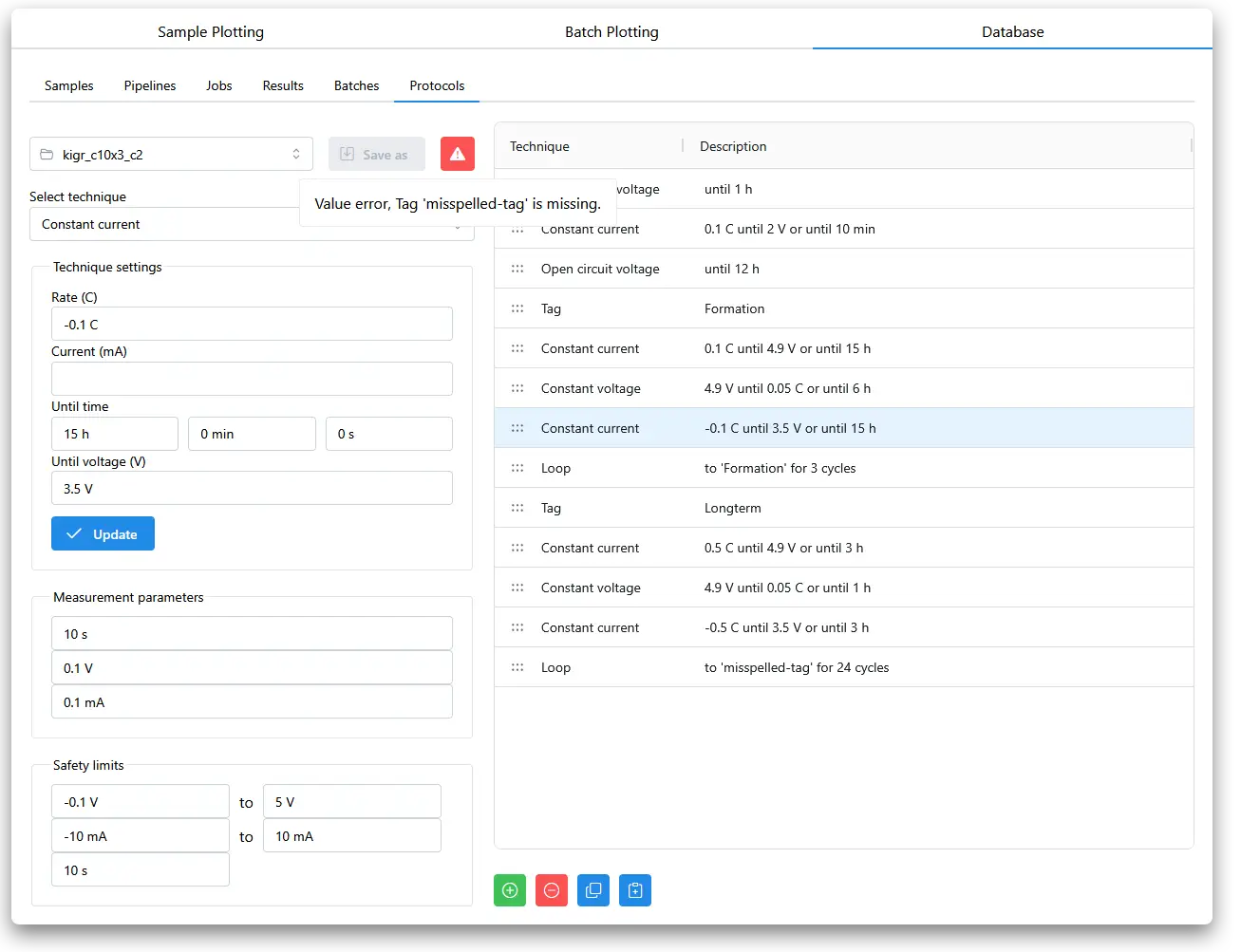
A warning symbol at the top tells you if something is causing the protocol validation to fail, here we tell the protocol to loop back to a tag that does not exist. When warnings are resolved, the 'Save as' button can be used, and we can overwrite the existing protocol file or create a new one.
Protocol files are aurora-unicycler JSON files, they can be edited by hand or created with the aurora-unicycler python package and loaded into aurora-cycler-manager either by putting files directly in the protocols folder of the project, or by uploading them through the app interface.