Starting an experiment
Now you have a sample and a protocol. Go to Database tab, Pipelines table, click on a pipeline, press the Load button and select your sample.
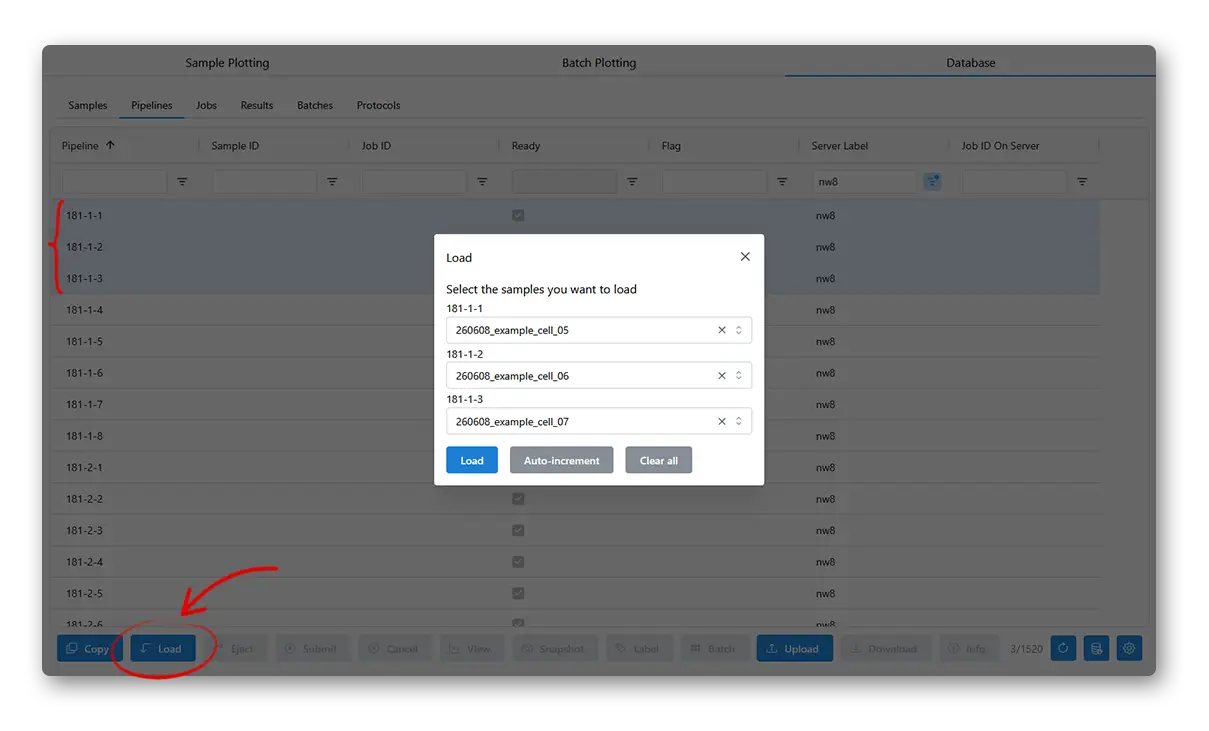
(You need to also put the actual sample on the physical machine)
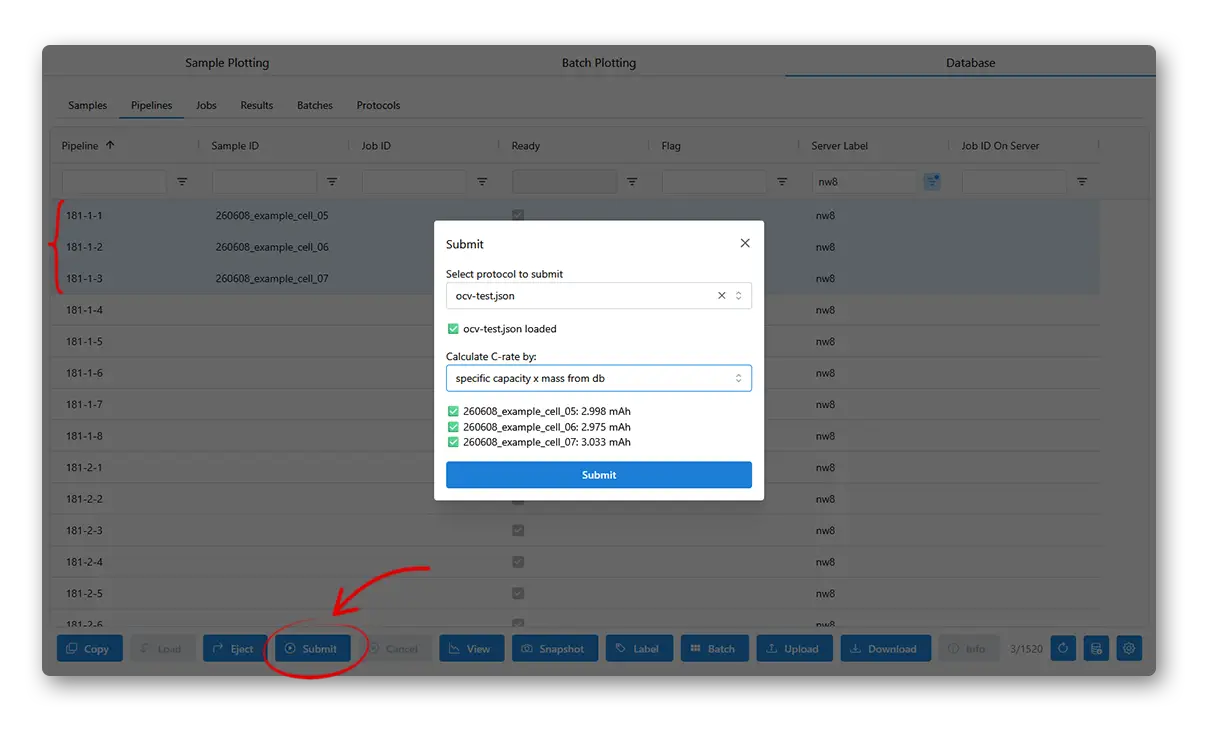
Now select the loaded sample, press Submit, choose a protocol and a way to define C-rate, then submit it.
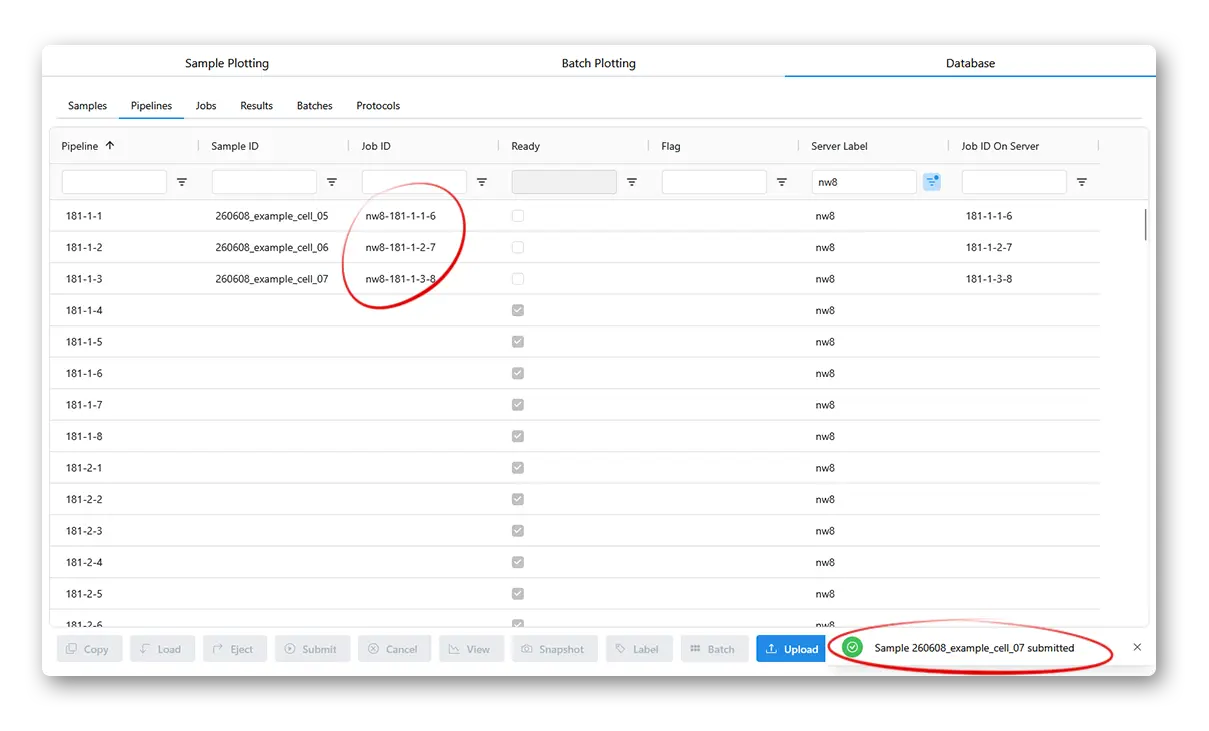
If the job submits successfully, you will see a Job ID in the table. The experiment is now running and you can Snapshot (fetch the latest data from the cycler machine) and View the data.
You can also Cancel a running experiment to stop it immediately.